


Managing stash space in ARC Raiders gets harder the longer a wipe cycle runs, especially when quest requirements, project turn-ins, and upgrade parts all compete for the same inventory slots.
This guide gives you a single detailed reference for what to hold, what to recycle, and how to use companion tools to verify item value, requirements, and map locations before you commit your storage space.
How to Use This One-Stop Looting Guide
- Use the quest and project boards first to protect progression-critical items.
- Check the recycle board before selling miscellaneous loot, especially when you are short on refined materials.
- Use the interactive map and tracker tools below to verify exact locations and current requirements in your own progression state.
- If a preferred tool is temporarily unavailable, switch to one of the backup links listed in the same section.
Interactive Utilities and Linked Resources
The original reference links out to several utilities. Here is what each one adds, so you can treat this page as your launch hub.
| Tool | What It Covers | Practical Use | Link |
|---|---|---|---|
| Raider Cheat Sheet | Interactive item helper board | Quick cross-check for keep/recycle decisions when available. | Open |
| ARCTracker Home | Progress dashboard (quests, stash, needed items, hideout/projects, maps) | Central tracking for account progression and planning. | Open |
| ARCTracker Maps | Dam Battleground, Spaceport, Blue Gate, Buried City, Stella Montis | Route planning for targeted item farming runs. | Open Maps |
| ARCTracker Quests | Quest requirements and rewards tracker | Prevent accidental recycling of items needed in upcoming quest chains. | Open |
| ARCTracker Skill Tree | Build planner with shareable builds | Plan looting/farming loadouts and mobility/survival priorities before raids. | Open |
| ARC Stashers | Item lookup database with category, rarity, value, and recommendation filters | Validate whether to keep, recycle, or sell specific items. | Open |
Map Links Included in the Source Utility Set
Keep for Quests
Quest-path materials should get top stash priority. If an item appears here, avoid recycling or impulse-selling it until you confirm there are no near-term quest hand-ins that require it.
- Tag these items as protected in your own stash routine.
- Cross-check unknown pieces using ARCTracker Quests and ARC Stashers before disposal.
- During busy raid sessions, keep one overflow row dedicated to “quest review” so uncertain items are not discarded mid-run.

Keep for Projects
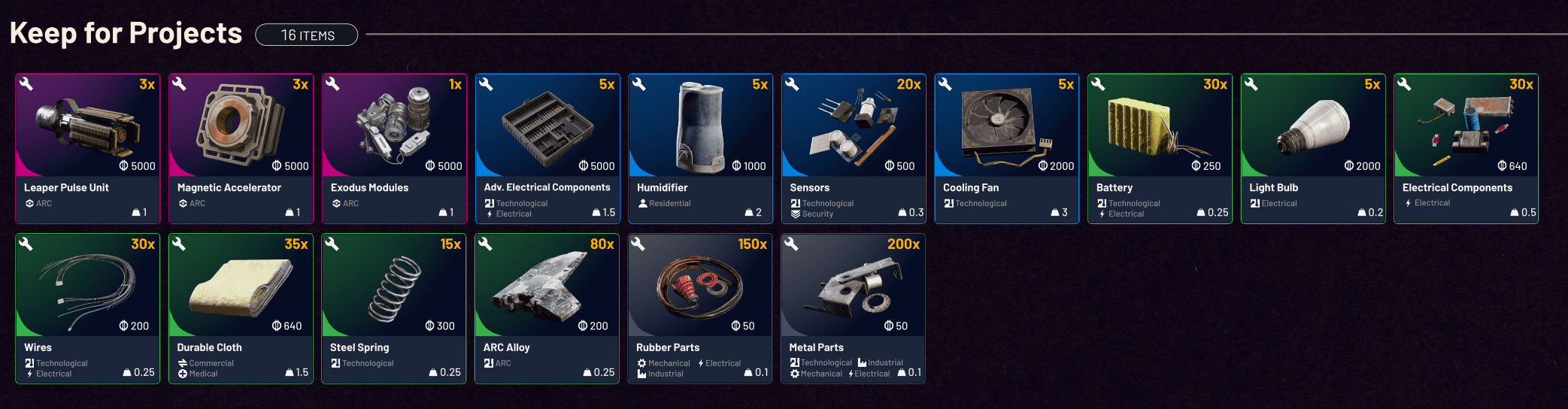
Project materials often overlap with broader hideout and long-horizon progression. Keeping these items stable in stash reduces re-farm time when a project unlocks or advances.
- Reserve project materials in a dedicated container segment.
- Review required counts before each crafting session to avoid partial turn-in delays.
- For higher-tier parts, pair this board with map routing so extraction priority matches project bottlenecks.
Safe to Recycle
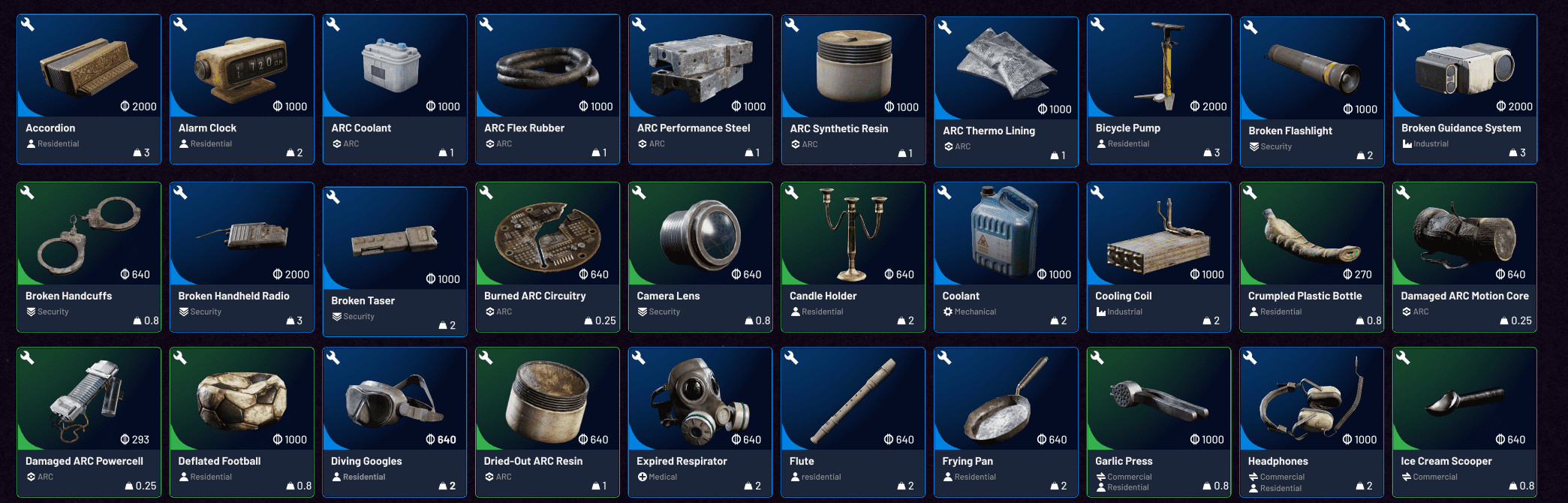
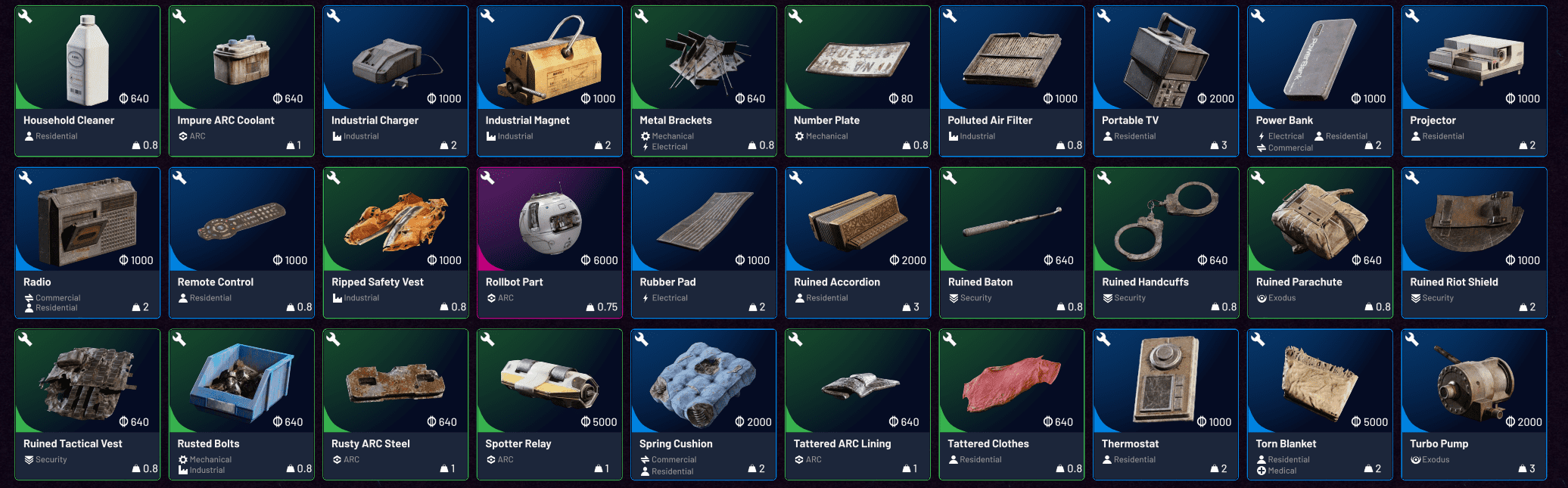
This set is your cleanup lane when stash pressure spikes. Recycling these items is generally safer than holding them indefinitely, especially when you need refined components now.
- Use this after every raid as a quick pass before final stash sort.
- If you are unsure about an item, confirm with ARC Stashers recommendation filters first.
- Prioritize recycling duplicates once you keep a minimal emergency reserve for flexible crafting paths.

Scrappy Upgrades
Scrappy upgrade requirements can quietly consume common materials over time. Use this board to pre-stock before upgrade sessions instead of scrambling for missing basics between raids.
- Track materials that appear repeatedly across upgrade tiers.
- Keep a baseline reserve of high-turnover components.
- When stash fills, downgrade low-urgency collectibles before touching these upgrade inputs.

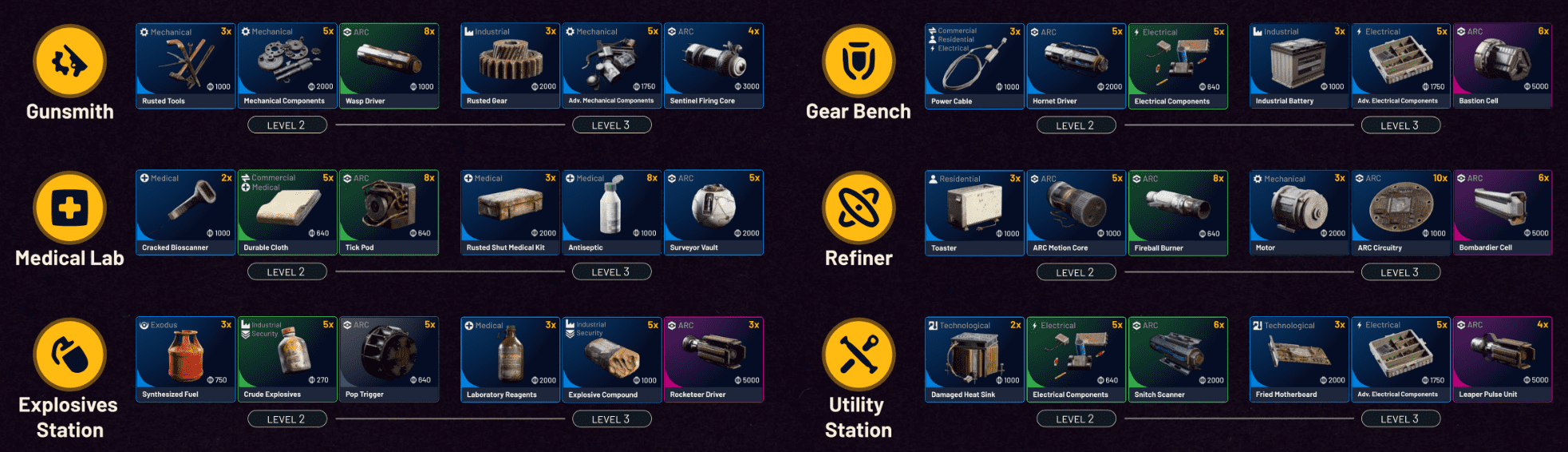
Workshop Upgrades
Workshop progression usually competes with quest and project demand for the same ecosystem of parts. Treat workshop mats as strategic inventory, not filler loot.
- Plan workshop upgrade batches so you can farm exact deficits in one loop.
- Use map tools to route toward containers and enemy types with the best overlap for your missing components.
- Review value and recommendation tags in item databases before selling anything tagged as useful for upgrades.
High-Value Item Cross-Checks from Linked Databases
The linked item databases provide quick value/category context for many progression-critical pieces. Use these as verification when you are undecided during stash cleanup.
| Example Item | Why It Matters | Typical Decision |
|---|---|---|
| ARC Performance Steel / ARC Synthetic Resin | Frequent progression and upgrade relevance | Usually keep until requirements are fully covered. |
| Rocketeer Driver / Hornet Driver / Wasp Driver / Tick Pod | Commonly referenced in progression loops and enemy-specific farming | Avoid blind recycling until quest/project checks are clear. |
| Magnetic Accelerator / Geiger Counter | Higher-impact components that can bottleneck advanced progression | Treat as controlled stock, then convert extras. |
| Queen Reactor / Matriarch Reactor / Bombardier Cell | Late-loop materials with high replacement cost | Hold by default unless you are over target count. |
Quick Decision Framework (Keep vs Recycle vs Sell)
- Check whether the item appears in quest or project references first.
- If uncertain, search it in ARC Stashers and review category, rarity, and recommendation filters.
- Confirm route availability for easy re-farm on the ARCTracker map set.
- If replacement is slow or tied to specific enemies/events, keep it.
- If replacement is fast and requirements are satisfied, recycle or sell based on immediate crafting needs.
Thanks to WoahBread for sharing this guide!