

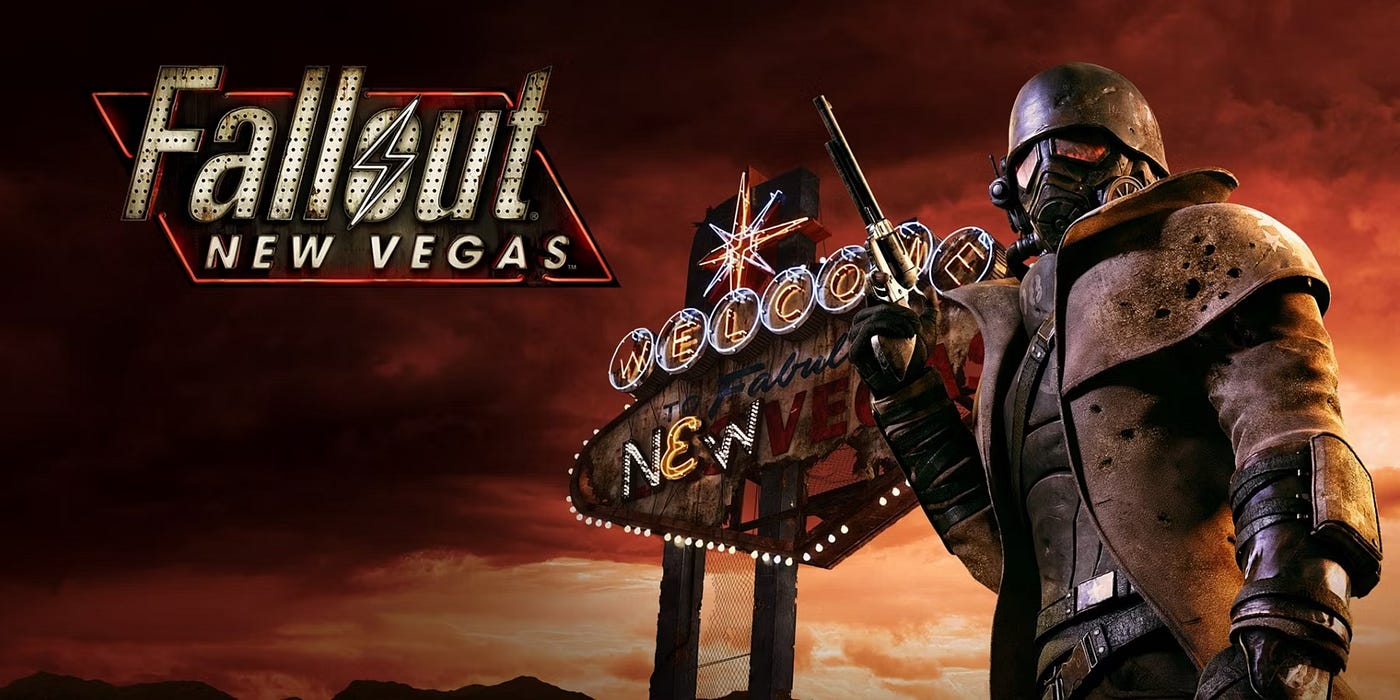
Hey there, Wasteland wanderer! So you want to dive into the world of Fallout New Vegas modding? You’ve come to the right place. This comprehensive guide will walk you through everything you need to know to transform your Mojave experience from vanilla to absolutely spectacular.
Modding FNV might seem intimidating at first, but trust me, once you get the hang of it, you’ll wonder how you ever played without mods. We’re talking better graphics, improved gameplay, bug fixes, new quests, and so much more. This guide is based on the excellent work by Stan, who has spent countless hours perfecting this modding setup.
Before we jump in, here’s what you need to know: this isn’t just a list of cool mods. This is a carefully curated collection designed to work together harmoniously, giving you a stable, enhanced experience without breaking your game. Let’s get started!
Essential Tools and Prerequisites
Before you start installing mods, you’ll need to set up your modding toolkit. Think of these as your foundation – without them, nothing else will work properly.
Mod Organizer 2
This is your command center for managing all your mods. Mod Organizer 2 (MO2) keeps your game files clean by using a virtual file system, which means you can install and uninstall mods without ever touching your actual game directory. It’s a lifesaver, and once you use it, you’ll never go back to manual installation.
xNVSE (New Vegas Script Extender)
NVSE is absolutely essential. Many of the best mods require it to function. It extends the scripting capabilities of the game, allowing modders to create features that simply wouldn’t be possible in vanilla New Vegas. Make sure you get the updated xNVSE version for better stability and performance.
JIP LN NVSE Plugin
This plugin works alongside NVSE to provide even more scripting functions. A huge number of modern mods depend on it, so consider it mandatory for any serious modding setup.
Johnny Guitar NVSE
Another crucial NVSE plugin that many mods use as a requirement. It adds additional script functions and is maintained actively by the modding community.
Core Fixes and Stability Mods
Let’s be honest – Fallout New Vegas is amazing, but it’s also famously unstable. These mods fix the underlying issues that cause crashes, freezes, and other problems. Install these first, and you’ll thank yourself later.
Yukichigai Unofficial Patch (YUP)
This is the mother of all bug fix mods. YUP fixes literally hundreds of bugs that Obsidian and Bethesda never got around to patching. We’re talking quest bugs, item bugs, NPC bugs, and everything in between.
- Pros: Fixes hundreds of bugs, compatible with almost everything, regularly updated, improves game stability
- Cons: None really, this is essential
Note: Load this early in your load order. It’s designed to be a foundation that other mods build upon.
Unofficial Patch NVSE Plus
This mod takes bug fixing even further by using NVSE to fix issues that couldn’t be addressed with traditional modding methods. It patches engine-level problems and script issues.
- Pros: Fixes engine-level bugs, works alongside YUP, improves scripting stability
- Cons: Requires NVSE (but you already have that!)
New Vegas Anti Crash (NVAC)
The name says it all. NVAC implements exception handling to prevent many common crashes. It won’t make your game invincible to crashes, but it will significantly reduce how often they occur.
- Pros: Dramatically reduces crashes, lightweight, no performance impact, works silently in the background
- Cons: Can’t prevent every crash, but it catches most of them
Note: This is absolutely non-negotiable. Install it. Your future self will thank you when you don’t lose hours of progress to a random crash.
New Vegas Tick Fix
This mod fixes the game’s framerate and micro-stuttering issues. If you have a modern PC, you’ve probably noticed that New Vegas doesn’t quite feel smooth even at high framerates. Tick Fix solves this problem.
- Pros: Eliminates micro-stuttering, fixes physics issues at high framerates, makes gameplay feel much smoother
- Cons: Requires some configuration for optimal results
Note: Take a few minutes to configure this properly in the INI file. Set it to match your monitor’s refresh rate for best results.
Mod Limit Fix
The vanilla game has a hard limit on the number of mods you can have active. This fix removes that limitation, allowing you to run as many mods as you want (within reason – your PC still has limits!).
- Pros: Removes artificial mod limit, essential for large mod lists, no performance impact
- Cons: None, it just removes an unnecessary restriction
User Interface Improvements
The vanilla UI works, but it was designed for console controllers and low-resolution TVs. Let’s bring it into the modern age.
The Mod Configuration Menu (MCM)
MCM is a standardized menu that allows mods to add configuration options in a clean, organized way. Instead of having to edit INI files or use console commands, you can adjust mod settings right from an in-game menu. Many modern mods use MCM, so it’s essentially required.
- Pros: Clean interface for mod settings, easy to use, widely supported by mods
- Cons: None, it’s purely beneficial
User Interface Organizer (UIO)
UIO prevents UI mods from conflicting with each other. Without it, installing multiple UI mods would cause them to overwrite each other. With UIO, they all play nice together.
- Pros: Enables multiple UI mods to work together, prevents conflicts, automatic sorting
- Cons: Absolutely none
The Vault-Tec Repository (VTR)
This mod adds a comprehensive in-game guide accessible through your Pip-Boy. It includes information about gameplay mechanics, crafting recipes, and more. Think of it as a built-in wiki.
- Pros: Detailed information at your fingertips, lore-friendly, helpful for new and veteran players
- Cons: Can feel like cheating if you prefer discovering things yourself
Consistent Pip-Boy Icons
The vanilla game has inconsistent and sometimes confusing icons in your Pip-Boy. This mod standardizes everything with clear, easy-to-understand icons that make inventory management so much easier.
- Pros: Much clearer icons, consistent style, makes inventory management easier
- Cons: None, unless you’re oddly attached to vanilla icons
oHUD
This gives you control over your HUD elements. You can make things appear only when relevant, hide elements you don’t need, or customize opacity. It makes for a much cleaner, more immersive experience.
- Pros: Highly customizable HUD, can hide elements when not needed, improves immersion
- Cons: Takes some time to configure to your liking
Note: Spend some time in the MCM settings for this one. Everyone has different preferences for how much UI they want visible.
Graphics and Visual Enhancements
Now let’s make the Mojave look gorgeous. These mods will transform the visual experience without requiring a NASA supercomputer.
New Vegas Reloaded
This is a comprehensive graphics overhaul that adds modern rendering features like improved shadows, ambient occlusion, depth of field, and more. It’s like installing a graphics card upgrade through software.
- Pros: Dramatic visual improvements, highly configurable, includes many modern graphics features
- Cons: Can impact performance on older systems, requires configuration
Note: Start with a preset and adjust from there. Don’t just max everything out unless you have a powerful PC.
Improved Lighting Shaders
This mod fixes the game’s lighting system, making light sources look more realistic and atmospheric. Indoor areas especially benefit from this mod.
- Pros: Much better lighting, minimal performance impact, works with other graphics mods
- Cons: None really, it’s a straight upgrade
Enhanced Shaders for ENB
Even if you’re not using a full ENB preset, these shaders improve the game’s visual quality with better water, better terrain blending, and improved effects.
- Pros: Improved visual quality, works without full ENB, customizable
- Cons: Some performance impact
NMC’s Texture Pack
This replaces the game’s low-resolution textures with high-quality versions. Buildings, terrain, objects – everything looks sharper and more detailed.
- Pros: Dramatic improvement in texture quality, comprehensive coverage, multiple resolution options
- Cons: Large download size, VRAM hungry on highest settings
Note: Choose the resolution based on your VRAM. If you have 4GB or less, stick with the medium resolution version.
Ojo Bueno Texture Pack
Another excellent texture overhaul that covers areas NMC doesn’t focus on as heavily. Use both together for comprehensive texture improvements.
- Pros: Covers different textures than NMC, high quality, good performance
- Cons: Large file size
Poco Bueno Texture Pack
This focuses on small objects, clutter, and items. You’d be surprised how much better the game looks when all those little things are high resolution.
- Pros: Improves all the small details, minimal performance impact, compatible with other texture mods
- Cons: None
Flora Overhaul
Replaces all the plants, trees, and vegetation with higher quality, more varied versions. The Mojave desert suddenly feels alive and vibrant.
- Pros: Much better vegetation, more variety, still looks appropriate for the desert setting
- Cons: Can impact performance in heavily vegetated areas
Wasteland Flora and Terrain Overhaul
This goes even further than Flora Overhaul, adding new plants and improving terrain textures to create a more realistic desert ecosystem.
- Pros: Incredible environmental improvement, still lore-friendly, makes exploration more interesting
- Cons: Performance impact, especially in outdoor areas
Gameplay Enhancements
These mods don’t just make the game prettier – they make it play better too.
Just Mods Assorted
A collection of small but impactful gameplay tweaks. Things like being able to sprint while aiming, improved sneaking, better companion behavior, and more.
- Pros: Many quality of life improvements, all configurable, doesn’t feel cheaty
- Cons: Lots of options to configure
Note: Go through the MCM menu and toggle the features you want. Not everyone wants every feature, and that’s fine.
Better Pickup Prompt
Shows you what you’re actually picking up before you grab it. No more accidentally taking owned items or picking up worthless junk.
- Pros: Prevents accidental theft, shows item stats, saves time
- Cons: None
Faster Sleep-Wait
Speeds up the waiting and sleeping animations. Seems minor, but it saves so much time over the course of a playthrough.
- Pros: Saves time, no more watching the clock slowly tick by
- Cons: None, it’s just convenient
Immersive Recoil
Adds realistic recoil to weapons. Guns actually kick when you fire them, making combat feel more visceral and requiring better aim control.
- Pros: More realistic combat, makes automatic weapons feel powerful, adds skill element
- Cons: Makes combat slightly harder
Note: You can adjust the recoil intensity in the MCM if you find it too strong.
B42 Inertia
Adds realistic movement physics. Your character has momentum now – you can’t instantly change direction or stop on a dime. It makes movement feel more weighty and realistic.
- Pros: More immersive movement, feels more realistic, adds strategic element to combat positioning
- Cons: Takes getting used to, can feel sluggish at first
B42 Weapon Inertia
Similar to B42 Inertia but for weapons. Your weapon sways when you move, making run-and-gun tactics less effective.
- Pros: More realistic weapon handling, encourages tactical play, looks great
- Cons: Can feel restrictive if you like fast-paced action
Immersive Minigames
Replaces the boring lockpicking and hacking minigames with more engaging versions that actually test your skills.
- Pros: Minigames are actually fun now, feels more immersive, skill-based
- Cons: Takes longer than vanilla minigames
Combat and Weapons
Let’s make shooting things more satisfying.
Bullet Time
Adds a slow-motion mechanic similar to VATS but more dynamic. You can slow time while aiming, making those precision shots possible without the freeze-frame of VATS.
- Pros: Feels awesome, more dynamic than VATS, configurable
- Cons: Can feel overpowered, uses action points
Hit’s Bullet Time Tweaks
Enhances and refines the Bullet Time mod with better balance and additional features.
- Pros: Better balanced than base Bullet Time, more options
- Cons: Requires Bullet Time mod
Weapon Mesh Improvement Mod (WMIM)
Fixes and improves all the weapon models in the game. Guns look way better and more detailed.
- Pros: Much better looking weapons, fixes model errors, no performance impact
- Cons: None
Weapon Retexture Project
High-resolution textures for all weapons. Combined with WMIM, your arsenal will look incredible.
- Pros: Beautiful weapon textures, covers all weapons, works with WMIM
- Cons: Slight VRAM usage increase
Weapon Animation Replacers
Replaces the stiff vanilla animations with smooth, realistic weapon handling. Reloading, drawing, and firing all look much better.
- Pros: Much better animations, makes combat feel more modern, covers many weapons
- Cons: Some weapons still use vanilla animations
Hit’s Weapon Animation Merged
A compilation of various animation improvements all in one package. This covers even more weapons than the basic replacers.
- Pros: Comprehensive animation coverage, high quality, consistent style
- Cons: Large file size
Audio Improvements
Sound design matters more than you think. These mods make the Mojave sound as good as it looks.
Improved Sound FX
Replaces many of the game’s sound effects with higher quality versions. Gunshots, explosions, footsteps – everything sounds punchier and more realistic.
- Pros: Much better audio quality, more immersive, covers most sounds
- Cons: None really
Weapon Sounds Overhaul
Completely replaces all weapon sounds with realistic recordings. Each gun has a unique, powerful sound that makes combat so much more satisfying.
- Pros: Incredible weapon sounds, each weapon sounds unique, very immersive
- Cons: Large file size
Note: This makes a huge difference in how combat feels. Highly recommended.
Audible Ammo Checking
Adds sounds when you check your ammo count. Your character will physically check the magazine or chamber, and you’ll hear the corresponding sounds. It’s a small detail that adds a lot.
- Pros: Immersive, sounds great, adds realism
- Cons: None
Quality of Life Mods
These mods fix annoyances and add convenience features that should have been in the base game.
Stash Organizer
Automatically sorts your storage containers by item type. No more digging through messy boxes to find what you need.
- Pros: Saves massive amounts of time, keeps storage organized, configurable categories
- Cons: None
Simple Open Strip
Removes the annoying gates that separate the Strip into different cells. Now it’s one continuous area, as it should have been from the start.
- Pros: No more loading screens on the Strip, better performance, more immersive
- Cons: None
Note: This genuinely transforms the Strip experience. You can finally explore it without constant interruptions.
Simple Open Freeside
Same as Simple Open Strip but for Freeside. No more gates splitting the district into separate cells.
- Pros: Seamless Freeside, better performance, improved immersion
- Cons: None
Populated Casinos
Adds more NPCs to the casinos, making them actually feel like busy gambling establishments instead of empty rooms with a handful of people.
- Pros: Much more immersive casinos, better atmosphere, NPCs have schedules
- Cons: Slight performance impact in casinos
Uncut Wasteland
Restores content that was cut from the final game. NPCs, locations, quests – all added back in.
- Pros: More content, all lore-friendly, well-integrated
- Cons: Some content was cut for a reason (balance issues)
Character and NPC Improvements
Let’s make the people of the Mojave look and act better.
New Vegas Character Overhaul
Completely remakes all the faces in the game. NPCs finally look like actual people instead of potato-faced mutants.
- Pros: Dramatic improvement in character appearance, covers all NPCs, stays true to original designs
- Cons: Some people prefer the vanilla aesthetic
Better Character Creation
Improves the character creation system with more options, better sliders, and improved lighting so you can actually see what you’re doing.
- Pros: Much better character creator, more options, better lighting
- Cons: None
Companion Sandbox Mode
Allows companions to wander around and interact with their surroundings instead of just standing still. They’ll sit, lean on things, and generally behave more naturally.
- Pros: Much more immersive companions, makes them feel alive, configurable
- Cons: Can be annoying if they wander off at bad times
Note: You can toggle this on and off as needed through the MCM.
Better Companion AI
Improves companion combat behavior. They’ll use cover, avoid your line of fire, and generally fight more intelligently.
- Pros: Companions are actually helpful in combat, less frustrating, more realistic
- Cons: None
Performance Optimization
These mods help the game run smoother, especially on older hardware.
Load Accelerator
Speeds up load times by optimizing how the game loads assets. You’ll spend less time staring at loading screens.
- Pros: Faster loading, no downsides, works automatically
- Cons: None
Heap Replacer
Replaces the game’s memory management system with a more efficient one. This reduces stuttering and prevents certain types of crashes.
- Pros: Better performance, fewer crashes, less stuttering
- Cons: None
Memory Heap Patch
Works with Heap Replacer to further optimize memory usage. These two together make a huge difference in stability.
- Pros: Improved stability, better memory management
- Cons: None
Save Cleaner
Cleans your save files by removing orphaned scripts and data. Over time, save files get bloated and corrupted – this mod prevents that.
- Pros: Keeps saves healthy, prevents corruption, automatic cleaning
- Cons: None
Note: Run this occasionally, especially on long playthroughs.
Immersion and Atmosphere
These mods enhance the feeling of being in a post-apocalyptic wasteland.
Immersive Fast Travel
Makes fast travel take in-game time and consume resources. You’ll need supplies for the journey, making travel a consideration rather than a free teleport.
- Pros: More immersive, adds challenge, configurable
- Cons: Less convenient than vanilla fast travel
Immersive Hit Reactions
Characters react realistically to being shot. They’ll stagger, grab wounds, and show genuine pain responses.
- Pros: Much more visceral combat, looks great, works with all NPCs
- Cons: None
Dynamic Weather
Adds realistic weather patterns and transitions. Rain, dust storms, fog – the Mojave finally has real weather.
- Pros: Much more atmospheric, realistic weather, adds variety
- Cons: Slight performance impact during storms
Atmospheric Lighting
Adjusts lighting to be more realistic and atmospheric. Indoor areas feel darker and more claustrophobic, outdoor areas have better ambiance.
- Pros: Much better atmosphere, more immersive, works with other lighting mods
- Cons: Some areas are very dark (but that’s the point)
Content Additions
Want more to do in the Mojave? These mods add new quests, locations, and adventures.
New Vegas Bounties I, II, III
A series of quest mods that add professional bounty hunter missions. These are some of the best quest mods available, with challenging combat, interesting stories, and great voice acting.
- Pros: Excellent quests, great voice acting, challenging content, hours of gameplay
- Cons: Very combat-heavy, quite difficult
Note: Start with Bounties I and work your way up. These get progressively harder.
Russell
Adds a fully-voiced companion with a deep questline. Russell is one of the best custom companions available, with excellent writing and voice work.
- Pros: Great character, excellent voice acting, interesting quest, well-written
- Cons: None really
The Someguy Series
A collection of interconnected quest mods by the creator of New Vegas Bounties. Each one tells a compelling story with great characters.
- Pros: Professional quality quests, great stories, excellent voice acting, lots of content
- Cons: Some quests are quite difficult
A World of Pain
Adds hundreds of new locations to explore throughout the Mojave. Caves, buildings, underground bunkers – there’s so much new content.
- Pros: Massive amount of new content, great for exploration, lots of variety
- Cons: Can feel overwhelming, some locations are very difficult
Note: This basically doubles the size of the game world. It’s perfect if you love exploration.
Hardcore Mode Enhancements
Playing in hardcore mode? These mods make it even more immersive and challenging.
Realistic Healing
Overhauls the healing system to be more realistic. No more instantly healing with food. Injuries take time to recover from.
- Pros: Much more realistic, adds strategy to combat, makes preparation important
- Cons: Significantly harder, requires adjustment to playstyle
Immersive Needs
Enhances the hardcore mode needs system with better balance and more realistic consumption rates.
- Pros: Better balanced than vanilla hardcore, more immersive, configurable
- Cons: More demanding than vanilla hardcore
Immersive Survival
Adds survival mechanics like temperature effects, gear weight affecting stamina, and realistic food spoilage.
- Pros: Very immersive, adds depth to survival gameplay, highly configurable
- Cons: Quite challenging, requires careful planning
Installation Tips and Load Order
Now that you know what mods to install, let’s talk about how to install them properly.
General Installation Advice
Always read the mod description page carefully. Each mod may have specific installation instructions or compatibility notes. Use Mod Organizer 2 to keep everything organized – it’s worth the learning curve.
Install mods in this general order:
- Essential tools (NVSE, JIP, Johnny Guitar)
- Core fixes (YUP, NVAC, Tick Fix)
- UI mods (MCM, UIO)
- Large overhauls (texture packs, graphics mods)
- Gameplay changes
- Content additions
- Small tweaks and patches
Load Order Basics
Your load order matters. Mods that load later override mods that load earlier. General rule: masters first, then major overhauls, then smaller mods, then patches at the end.
Use LOOT (Load Order Optimization Tool) as a starting point, but don’t blindly trust it. Read mod descriptions for specific load order requirements.
Testing Your Setup
Don’t install everything at once. Add mods in batches, test your game for an hour or two, then add more. This way, if something breaks, you know which batch caused the problem.
Start a new game to test. Don’t test mods on your main save file – create a test character and use console commands to speed through the intro if needed.
Troubleshooting Common Issues
If you crash on startup, it’s usually a missing master or load order issue. Check Mod Organizer 2 for error messages.
If you crash during gameplay, it’s often a script error or mod conflict. Check your load order and make sure you have all required dependencies.
Stuttering or freezing usually means you’re running out of VRAM or RAM. Reduce texture quality or disable some graphics mods.
Performance Tweaking
Getting the best performance requires some INI tweaking and configuration.
Essential INI Tweaks
Edit your FalloutNV.ini file to optimize for your system. Increase memory allocation, adjust thread usage, and tweak graphics settings for your hardware.
The most important tweaks: increase iMaxAllocatedMemoryBytes to at least 4GB (on 64-bit systems), enable multi-threading, and adjust shadow quality for your GPU.
Graphics Settings Balance
You don’t need to max everything. Reduce shadow quality first – it has the biggest performance impact. Then adjust draw distance and particle effects if needed.
Texture quality should match your VRAM. If you have 4GB or less, use medium resolution texture packs. 6GB or more, you can handle high-res textures.
Monitoring Performance
Use FRAPS or MSI Afterburner to monitor your framerate and hardware usage. This helps you identify bottlenecks and know what to adjust.
Aim for a stable 60 FPS. Higher framerates can cause physics issues in New Vegas, so cap it at 60 unless you have Tick Fix properly configured for higher rates.
Maintaining Your Mod Setup
Your mod list isn’t set in stone. Here’s how to keep it running smoothly.
Regular Maintenance
Clean your save files periodically with Save Cleaner. Update mods when new versions are released, but read the changelog first to see if it requires a new game.
Back up your saves regularly. Mod Organizer 2 makes this easy – just copy your profiles folder periodically.
Adding New Mods Mid-Playthrough
You can safely add most mods mid-playthrough, but be careful with major overhauls. Always make a backup save before adding new mods.
Read the mod description to see if it requires a new game. Quest mods and content additions are usually safe to add anytime.
Removing Mods
Removing mods mid-playthrough is risky. Some mods can be safely removed (textures, sounds), but anything with scripts should stay until you start a new game.
If you must remove a mod, use Save Cleaner afterward to remove orphaned scripts from your save file.
Advanced Topics
Once you’re comfortable with basic modding, you might want to dive deeper.
Creating Merged Patches
When you have many mods, you’ll need a merged patch to resolve conflicts. Use xEdit (FNVEdit) to create one. It’s not as scary as it sounds – there are plenty of tutorials available.
Custom Mod Patches
Sometimes two mods conflict in ways that require a custom patch. Learning basic xEdit skills lets you create these patches yourself.
ENB Configuration
If you want the absolute best graphics, learn to configure ENB presets. It takes time to master, but the results are stunning.
Recommended Modding Resources
Want to learn more? Here are the best resources for Fallout New Vegas modding.
Communities
The Nexus Mods forums are active and helpful. Reddit’s r/fnv subreddit is great for questions and troubleshooting. Join the Tale of Two Wastelands Discord for advanced modding discussions.
Guides and Tutorials
GamerPoets has excellent YouTube tutorials for Mod Organizer 2 and various modding techniques. The Nexus Mods wiki has comprehensive guides for specific topics.
Modding Tools
Beyond what’s mentioned here, learn to use xEdit for conflict resolution, GECK for creating mods, and NifSkope for mesh editing if you want to get really advanced.
Final Thoughts
Modding Fallout New Vegas transforms it from a great game into an incredible experience. Yes, there’s a learning curve, and yes, you’ll probably have some troubleshooting to do. But trust me, it’s worth every minute you spend setting it up.
Start with the essentials – fixes, UI improvements, and quality of life mods. Get comfortable with those, then branch out into graphics, gameplay changes, and content additions. Take your time, read descriptions, and don’t be afraid to experiment.
The Mojave Wasteland is waiting, and with these mods, it’s never looked or played better. Whether you’re a first-time player or returning for your tenth playthrough, this mod setup will give you an experience that stays true to the game’s spirit while bringing it into 2026.
Remember: modding is a journey, not a destination. Your perfect mod list is personal to you. Use this guide as a foundation, but don’t be afraid to customize it to your preferences. That’s the beauty of modding – you can make the game exactly what you want it to be.
Now get out there and explore the Mojave. It’s even more dangerous, more beautiful, and more engaging than ever before.
Thank you Stan for sharing this guide!