


Resident Evil Requiem already has a fast-growing mod scene, and the best releases now cover visual polish, quality-of-life upgrades, combat tuning, movement improvements, and full sandbox-style convenience. Whether you want a cleaner image, better HDR calibration, easier parry timing, faster traversal, or full-power cheat-style runs, there is already a strong set of mods that can reshape the experience in very different ways.
This guide rounds up the best options in one place, with clear explanations of what each mod actually changes in gameplay, visuals, or progression, plus setup steps you can follow quickly. If you are building your first mod loadout, start with the pre-install checklist below, then add one mod at a time so you can test stability and avoid conflicts.
Related reading: Known issues and workarounds • Every safe code • All 25 Mr. Racoon locations.
Before You Install Mods
Most mods in this list depend on REFramework.
Important Dependency & Tool Downloads
- REFramework (stable): Download
- REFramework Nightly (for newer compatibility cases): Download
- Fluffy Mod Manager: Download
- ReShade (required for RenoDX): Download
Core setup checklist
- Install REFramework (required by most entries below).
- Open the in-game REFramework overlay with Insert.
- If a mod needs it, enable Loose File Loader before loading into gameplay.
- For archive-based installs, use Fluffy Mod Manager when recommended by the mod author.
- Only enable one conflicting variant at a time (especially stack-size and damage multiplier mods).
Top 15 Resident Evil Requiem Mods
1) REFramework
What it does: REFramework is the core mod loader and scripting layer that makes most Resident Evil Requiem mods work at all. It injects Lua scripting support, plugin hooks, and an in-game overlay so other mods can add sliders, toggles, and behavior changes without editing core game files directly. If you plan to install multiple gameplay or quality-of-life mods, this is the foundation they typically rely on.
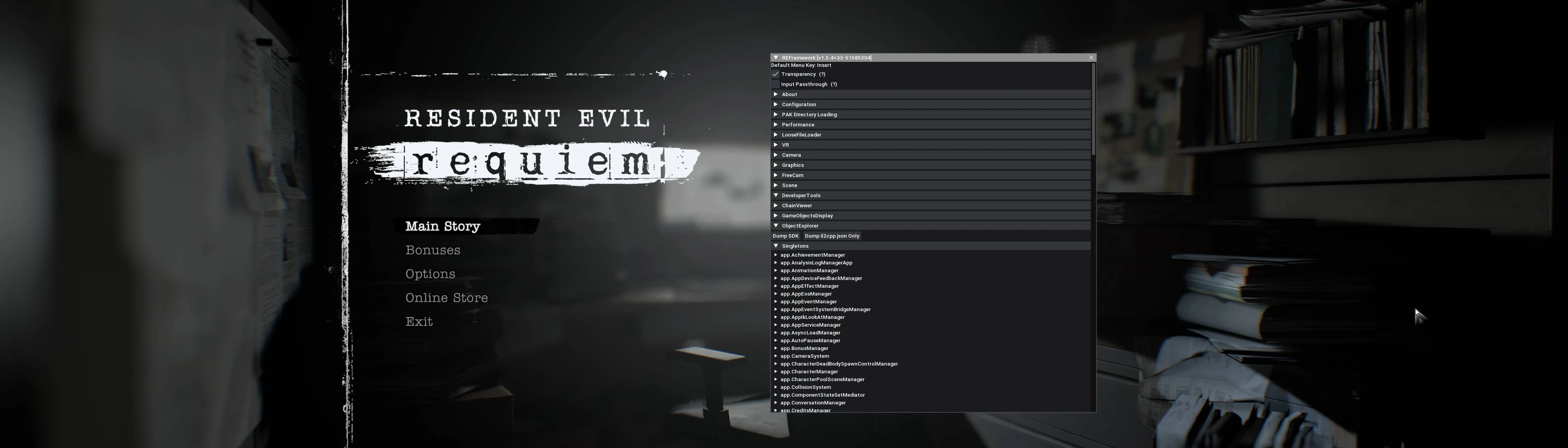
Key features
- Required dependency for most gameplay and QoL mods.
- Loads scripts from
reframework/autorun. - Loads plugins from
reframework/plugins.
How to install
- Download the latest REFramework build for RE Requiem.
- Extract
dinput8.dllinto the game install folder (next to the game executable). - Launch game and press Insert to open REFramework menu.
Uninstall
- Remove
dinput8.dllfrom the game directory. - Remove the
reframeworkfolder and related REFramework config/log files if you want a full cleanup.
2) No Film Grain
What it does: This mod disables the film grain post-processing layer, giving the game a cleaner and sharper final image. It is especially useful if you play at higher resolutions and want details, textures, and lighting to look less noisy. It is lightweight and focused, so it does one visual job without changing gameplay systems.

Key features
- Cleaner visuals, especially at high resolution.
- Lightweight script-based change.
How to install
- Install REFramework first.
- Extract the mod ZIP into your game root folder.
- Confirm the file path includes:
reframework/autorun/disable_film_grain.lua.
3) RenoDX – HDR Fix for Resident Evil Requiem
What it does: RenoDX overhauls how HDR is handled so highlights, brightness response, and overall tone mapping behave more consistently. It also adds advanced calibration controls so you can fine-tune contrast, color, UI brightness, and grain behavior for your display. For players with HDR-capable screens, this can significantly improve image quality and reduce inconsistent brightness behavior.

Key features
- HDR handling fixes and brightness behavior improvements.
- Extra tuning controls (tone mapping, grading, UI brightness, grain/noise controls).
- ReShade add-on based workflow.
How to install
- Install a REFramework nightly build (RE9 package).
- Install ReShade 6.7.2+ with add-on support.
- Copy
renodx-re9requiem.addon64to the game folder. - Launch game, open ReShade UI (Home), then configure RenoDX options.
Notes
- Requires HDR enabled in game.
- Some tone-mapper changes may require toggling HDR off/on to fully apply.
4) Max Stack Sizes – 999/9999/99999 or Multipliers
What it does: This mod increases inventory stack caps for ammo and other stackable resources, reducing inventory pressure and frequent item management. Instead of being limited by default stack values, you can pick larger fixed caps or multiplier-based variants to match how casual or overpowered you want the run to feel. It is ideal for players who want fewer inventory interruptions.
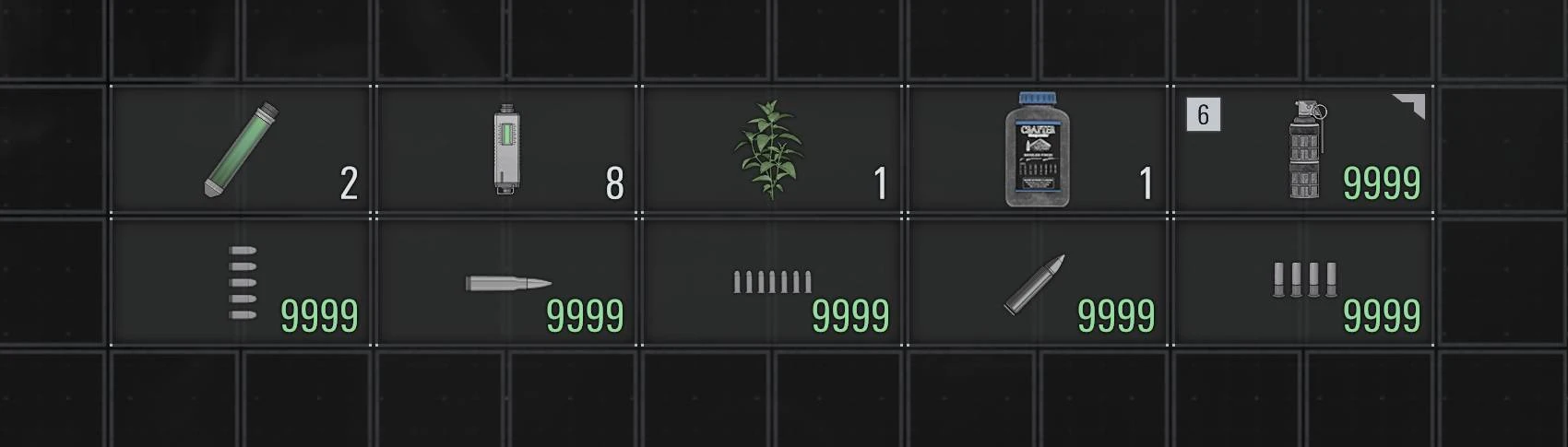
Key features
- Multiple presets (flat caps or multipliers).
- Covers ammo plus additional stackable resources.
How to install
- Install REFramework (nightly build recommended by author).
- Enable Loose File Loader in REFramework.
- Install through Fluffy Mod Manager (recommended by author).
- Activate one stack-size option only.
Notes
- Changing to lower limits later can clamp and remove overflow items.
5) CHEAT – inf ammo and HP
What it does: This is a direct power mod that removes two core survival constraints: ammo consumption and health risk. With both systems effectively bypassed, combat becomes much more aggressive and forgiving, which is useful for testing, speed experimentation, and casual replay runs. It is best suited for players who want convenience over survival balance.
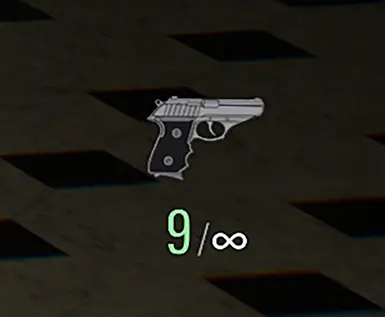
Key features
- Straightforward survival-combat bypass.
- Built for quick power-run or experimentation.
How to install
- Install REFramework.
- Install mod file into game directory as directed on mod page.
- Launch and verify in REFramework script UI if applicable.
6) Infinite Hemolytic Injector Uses
What it does: This mod prevents Hemolytic Injectors from being consumed when used, so you keep utility access without re-farming or re-stocking those items. It smooths progression and removes one resource drain from specific encounters. If you rely heavily on this tool, the mod reduces friction without changing every combat mechanic.

Key features
- Keeps injector count from decreasing.
- Script-based implementation.
How to install
- Install REFramework.
- Extract mod ZIP into game directory (or install via Fluffy Mod Manager).
Uninstall
- Remove mod via manager or delete:
reframework/autorun/re9_inf_injector_uses.lua.
7) Easy Parry
What it does: Easy Parry expands and customizes parry timing windows, including separate control over normal parry and just-parry timing. This makes defensive play more accessible if default timings feel too strict, and it can also be tuned for practice or challenge styles. It is one of the best options for players who want combat to feel less punishing while still using core mechanics.

Key features
- Parry window customization from very strict to very lenient.
- Better accessibility for players who want less timing pressure.
How to install
- Install REFramework.
- Extract the mod ZIP to your game’s
reframework/autorunpath. - Tune values in REFramework UI.
8) Infinite Ammo
What it does: This mod prevents active magazine values from decreasing during firing, effectively giving unlimited shots without manual ammo management. It is a cleaner, focused infinite-ammo implementation for players who only want shooting freedom without broader cheat bundles. This makes repeated combat tests and action-heavy runs much smoother.
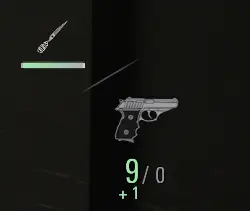
Key features
- Pure ammo economy bypass.
- Lightweight Lua script setup.
How to install
- Install REFramework.
- Extract mod ZIP to game directory or install via Fluffy Mod Manager.
Uninstall
- Delete:
reframework/autorun/re9_inf_ammo.lua(or disable/remove in manager).
9) FOV Controls (Includes ADS and Hotkey Toggle)
What it does: This mod gives you direct control over gameplay FOV and ADS FOV, plus transition behavior between states. It helps reduce tunnel vision, improves comfort on wider displays, and lets you tune aiming perspective to your preference. It remains useful, though many players now prefer the newer Adjust FOV alternative.
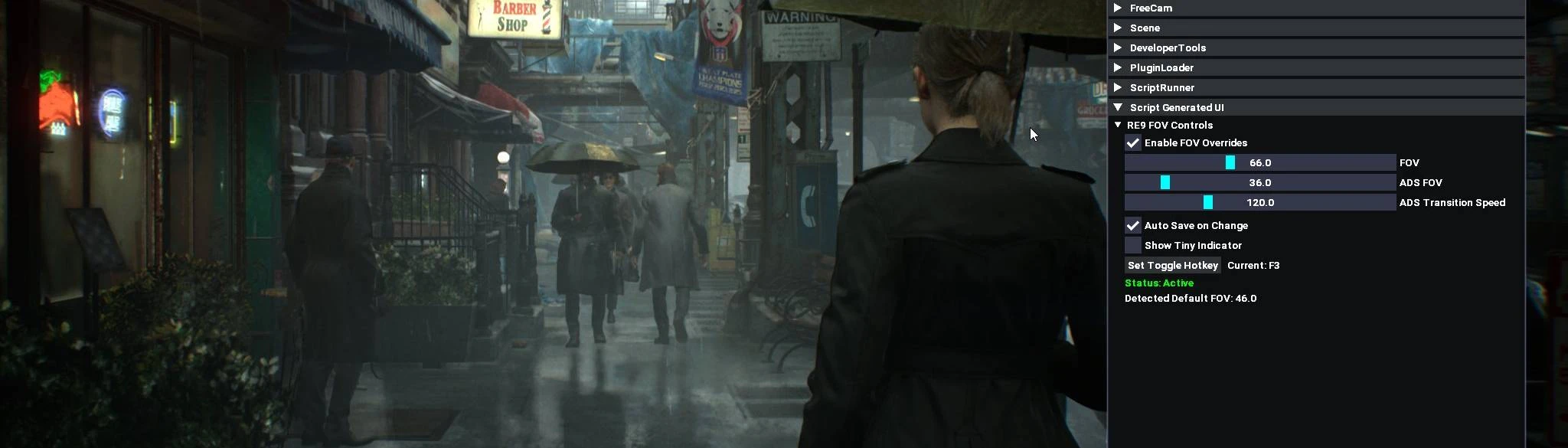
Key features
- Separate gameplay and aiming FOV behavior.
- Includes controller-aware ADS handling.
How to install
- Install REFramework.
- Place mod file in
reframework/autorun. - Launch game and adjust under Script Generated UI.
Note
- Mod author indicates this has been superseded by the newer Adjust FOV mod.
10) Adjust FOV
What it does: Adjust FOV is a newer and more refined FOV solution that lets you independently control first-person, third-person, and ADS field of view values. It is designed to preserve cinematic and interaction behavior while giving better camera comfort during active play. For most players tuning camera feel today, this is the more complete FOV option.
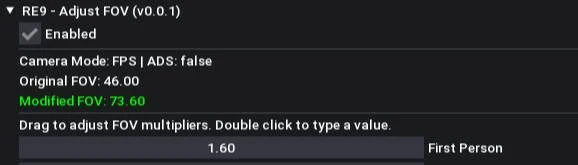
Key features
- Separate FPS/TPS and ADS adjustments.
- Does not target cutscenes/interaction markers.
- Saves settings to JSON for persistence.
How to install
- Install latest REFramework.
- Download latest Adjust FOV file from its Files tab.
- Extract into game folder and configure in REFramework UI.
11) Infinite Ammo and Axe and Rocket Launcher
What it does: This mod combines multiple power toggles into one script UI, including infinite ammo and weapon utility options like axe/rocket launcher access. Instead of installing separate scripts, you can switch major combat advantages on and off from one place. It is convenient for sandbox runs and quick testing sessions.
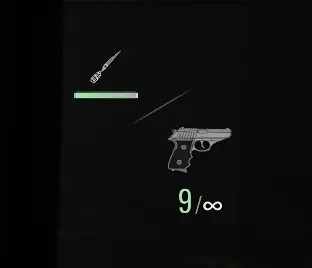
Key features
- Checkbox-driven toggles.
- Good all-in-one power option for sandbox play.
How to install
- Install REFramework.
- Install mod files per page instructions.
- Toggle options from script UI.
12) Collect More Blood – 999/9999/99999 or Multipliers
What it does: This mod increases Blood Collector capacity so you can store substantially more blood before hitting limits. It is focused on reducing management interruptions for runs where blood use and collection are frequent. Like other capacity variants, it offers multiple presets so you can choose moderate or extreme values.

Key features
- Supports very high blood capacity options.
- Similar setup model to stack-size mods.
How to install
- Install REFramework and enable Loose File Loader.
- Install through Fluffy Mod Manager.
- Enable only one capacity variant at a time.
Notes
- Overflow can be clamped if you later switch to a lower-cap variant.
13) Bonus Content Unlocker
What it does: This mod unlocks bonus and special content systems so you can access extra items, rewards, and related progression content earlier. It is built for players who want to skip grind-gated unlock flow and jump straight to expanded loadouts and options. It can also expose additional challenge content, including Insanity-difficulty related unlock behavior.
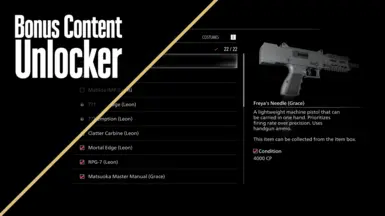
Key features
- Access to bonus-store style unlockables.
- Aims to mirror reward-unlock behavior seen in prior titles.
How to install
- Install REFramework.
- Install with Fluffy Mod Manager (recommended by author).
- Launch and confirm unlock options are available.
Important warning
- Author flags this as making permanent system save changes unless you restore a backup (such as
data00-1.bin). Back up saves before using.
14) Better Movement Speed
What it does: Better Movement Speed lets you increase walk and run values with separate controls per character, making traversal and combat repositioning feel more responsive. It supports adjustable multipliers and persistent saved settings, so you can set one profile and keep it. This is a strong QoL pick if base movement feels too slow for your preferred pace.

Key features
- Separate Leon and Grace speed settings.
- Independent walk/run multipliers.
- Toggleable and saved settings.
- Works in both first-person and third-person contexts.
How to install
- Install REFramework.
- Install via Fluffy Mod Manager or manually extract into game folder.
- Press Insert in game, open Script Generated UI, and set movement multipliers.
Uninstall
- Remove
reframework/autorun/re9_movement_speed.lua.
15) Damage Multiplier Mods
What it does: This pack provides multiple presets for outgoing and incoming damage so you can make combat easier, faster, or more experimental depending on your setup. Some options also tune stagger/wince behavior, which changes how often enemies are interrupted. It is useful if you want finer control over combat pace without editing many systems by hand.

Key features
- Multiple preset styles (e.g., increased damage output plus reduced damage taken).
- Includes variants with altered stagger/wince behavior.
How to install
- Place mod archive into your RE9 mods folder in Fluffy Mod Manager and enable it.
- Launch game.
- Enable Loose File Loader in REFramework (first scan may take longer).
- Keep only one damage variant active at a time.
Recommended Mod Packs by Playstyle
Visual Clarity & Comfort
- REFramework
- No Film Grain
- RenoDX HDR Fix
- Adjust FOV
QoL Without Full Cheats
- Better Movement Speed
- Easy Parry
- Adjust FOV
Full Power Fantasy
- Infinite Ammo
- CHEAT – inf ammo and HP
- Infinite Ammo and Axe and Rocket Launcher
- Bonus Content Unlocker
Final Tips
- Install and verify one mod at a time.
- Keep backups before using mods that edit progression/unlock data.
- Prefer newer maintained variants when two mods solve the same problem (for FOV, Adjust FOV is the newer option).
- If a mod fails to load, check REFramework version first, then confirm file placement and Loose File Loader state.